Showing posts with label hack website. Show all posts

Saturday, July 05, 2014

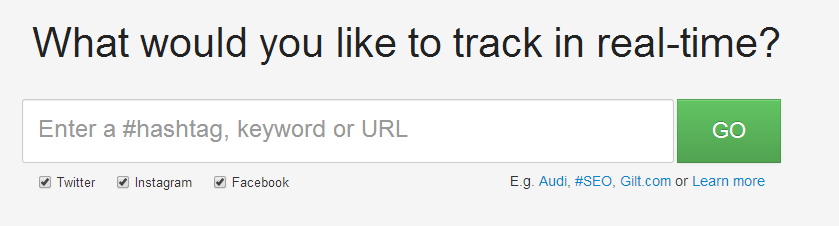
How To Track Hashtag Usage for Twitter, Facebook, Instagram


Track any #hashtag or keyword you would like to trace.

Saturday, July 05, 2014

How To Get an Email without Registration (Create Fake Email)


How to create a fake email to avoid any spam or to secure your original emails? Learn it now!
For educational purpose, other than that your action is at your own risk.

Monday, May 05, 2014

How To Block Certain Website or Programs with Specific Time

(This is a software! not an extension) - Tested on Windows XP, 7, 8
Trying to make your office/home/school safe with a free & good blocking (social network & software) system? Specific time like giving access to lunch hour only? Well this is for you.

Sunday, March 16, 2014

How To Reveal Password in Web Browsers (Dotted Password)


Revealing the passwords that hidden under asterisk code, no software needed just web browsers.

BEFORE
AFTER

Wednesday, December 04, 2013

How To Block Advertisement On Website (Firefox & Chrome)


Tested on : Mozilla Firefox (v25.0.1) & Google Chrome (v31.0.1)
Firstly, yes mostly website has ads, why? Because they making money from it. Everyone like to download, reading, using something FREELY but never understand how painful to build up website (cost money), to gather traffic, to help crowd of peoples FREELY. Nobody (mostly human, not alien) want to donate to a small website even my website too. But if you use this plugin on your browser, you won't see a single ads. I don't mind if this will ruin my own ads. :)
This plugin will also block ads from YouTube, blogger, and most of the popular website around the world.

Sunday, November 17, 2013

How to Grab Wallpaper From YouTube Videos


Get the wallpaper of YouTube videos you wanted and keep it. (No software needed, just browsers)
Tested on : Firefox v25.01 & Chrome v31.0

Sunday, April 21, 2013

How to Access Blocked Website Easily (UltraSurf)

Access blocked website like VEVO, watch all YouTube video with restrictions.
(Alternatively you can use hidemyass.com but I'm personally think this software quite good for me)

-This software is portable
-No Installation needed and No leftover when you exit
-Untraceable (Your main IP)
-Can access blocked website in Router setting.
-Freeware :)
-Only can use in IE :( other Mozilla Firefox need to use plugin


1. Download Link (My Setting) :-
Link 1 - MEGA
Link 2 - Google Drive

Tuesday, April 16, 2013

How To Download Video or Audio From Any Website

Download your favourite videos, mp3 and more plus any format freely using Mozilla Firefox.
Download any video, mp3 from popular website like YouTube, Vimeo, Dailymotion, Metacafe, Yahoo! Videos and more..

1. Get Mozilla Firefox (Latest) , and this Add-On : Video DownloadHelper

2. Install the add-on, restart your Firefox.

3. Go to any website you want to download (All Media Format)

4. Play the videos you want to download, wait until the add-on icon moving.


Before you play the media..

After you play the media..

Monday, March 25, 2013

Test Your Broadband Speed (The Best Site)

The quality of speed test is a must. Test your connection speed today!

1. Intel Broadband Speed Test
Link
I never expect there's speed test in Intel Company site. Say goodbye to dial-up-broadband Internet access. Upgrade your online experience for a high-speed pipeline to fantastic entertainment and online services, including movies, music, gaming, and a whole lot more.


2. Speedtest.net
Link
The most sophisticated broadband testing and analysis tools into the hands of anyone interested in finding out just how connected they actually are. This free service from Ookla opens hundreds of testing locations around the world to anyone curious about the performance of their Internet connection.


Saturday, March 16, 2013

How To Block & Unblock Website Without Using Any Software

How to block and unblock your favourite website without using any software, just little tweak over host file. Blocking is a good ways to manage the web for your family or anybody using computer.


Trouble? Watch Video


1. Open your Computer...

2. Go to the address bar copy and paste this : C:\Windows\System32\drivers\etc and Enter.


Friday, March 15, 2013

How To Prevent Hackers From Your Blog (Blogger)

5 Tips to prevent hacker from your blog (blogger) and your computer and secure it.
Based on basic, and my experiences.


1. Do not click any Spam/Scam/Phishing advertisements. Makes sure you Clear browsing data after using your browsers to avoid hacker takes away your cookies (data) to get information you encrypt (password) or browsing history.


2. Do not use same password on several websites. Do not use weak password.
Do not give or share your email to anonymous unless you knows who you're dealing with.
Please USE password like these :-
Ador34b!3
#2Fast2Fur10s
4ows-td7o-4a3i
(Create passwords at least more than 7 or 8 Alphanumeric with 1 Uppercase and Symbol)

Please AVOID password like these :-
123456, 54321
Abc123, 2486abc,
Admin1, admin1, administrator
Your ID/IC (931218342342) / Your phone numbers (0123433434)
Your birth month (j4nu4ry, nov3mb3r, m4rch)
Why? Good question : brute-force can crack it easily, just a matter of time.


And! Never register on website/forums/others that are unknown with original password
Why? : Maybe they own the server, once you encrypted your password, they'll stored it so they will use it on your Facebook, emails, banking account. (Be careful on website you trying to register or login) and if you want to register, please use different passwords, easy or hard password is acceptable at least they (hackers) do not know the original.


Wednesday, March 13, 2013

How To Download Youtube Video From Firefox (Tutorial)

How to download youtube videos from Mozilla Firefox (Add-on), it's easy just follow these guide.

1. You need a Mozilla Firefox browser (if you don't have one, click HERE to download)

2. Get Firefox Add-On : Easy Youtube Video Downloader
https://addons.mozilla.org/en-US/firefox/addon/easy-youtube-video-download/?src=search

Friday, March 02, 2012

How To Change To Google DNS

How to change to Google DNS with just few steps and easy to change.
Ever wondering your ISP block certain websites that you like? hate using proxy (online)? well.. there's an easy way without using anything but change something.. Yes! Change the DNS Server at your "Network and Sharing Center" follow the steps shown.  
Click image to Enlarge

Share