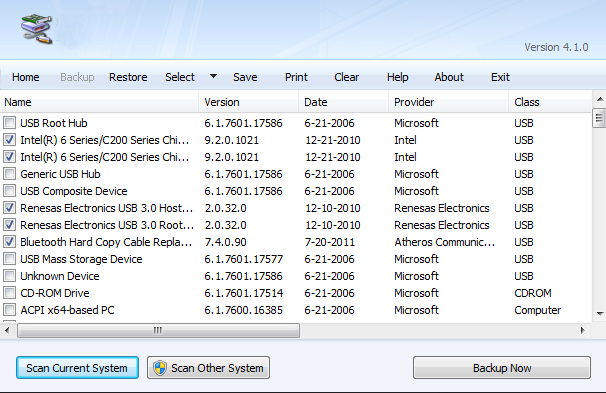
Backup all drivers in your computer with ease and restore it back when you format your computer. This is an easy job to restore all drivers from searching all over the internet. This post also teaches you how to backup and restore the drivers of your computer easily.
Showing posts with label backup and restore computer. Show all posts
Wednesday, March 19, 2014
Sunday, December 01, 2013
The Best System Restore (Faronics Deep Freeze Standard + Key)
Working with : WINDOWS 7 & WINDOWS 8
When you want to preserve a computer’s desired configuration, Faronics Deep Freeze is the answer. Don’t waste time waiting for Imaging solutions to restore your computers, all you’ll need is a simple reboot! Whether you need to protect thousands of workstations across your enterprise or just that one PC at home, Deep Freeze is right for the job
Standard Edition (Pre-activated)
Friday, November 15, 2013
How To Create & Restore System Image in Windows 8
System Image is useful, far more better than cloning or system restore (for personal usage) since whatever happen to your pc, you can restore the System Image to revert your pc to default setting with application that you've installed before you do the backup.
Simple word : Format PC with all software and drivers installed.
No EXTERNAL HDD or CD/DVD needed. Only your computer.
(Tested on Windows 8 Pro 32bit and 64bit with WMC and w/out WMC)1. Create new partition, this partition will be used to store the System Image files.
R: is the system image location
Saturday, November 09, 2013
How To Create & Restore System Image in Windows 7
System Image is useful, far more better than cloning or system restore (for personal usage) since whatever happen to your pc, you can restore the System Image to revert your pc to default setting with application that you've installed before you do the backup.
Simple word : Format PC with all software and drivers installed.
No EXTERNAL HDD or CD/DVD needed. Only your computer.
(Tested on Windows 7 Home Premium 64bit and Windows 7 Ultimate 32bit)
1. Create new partition, this partition will be used to store the System Image files.
2. Start Backup and Restore program and click to create System Image and choose the new partition as location to store.
For example, R: is the new partition used to store System Image
2. Start Backup and Restore program and click to create System Image and choose the new partition as location to store.
Subscribe to:
Posts (Atom)
