Showing posts with label windows 8. Show all posts

Saturday, March 22, 2014

How To Install .Net Framework 3.5 in Windows 8 Offline


.Net Framework is needed to install some useful software. But in Windows 8, you need to download from Microsoft Server first to get .Net even you have the version 4 so with this software you don't even have to download the .Net, just need your Windows 8 DVD or ISO.
Requirements :- Windows 8 DVD or Windows 8 ISO

Thursday, December 12, 2013

How To Create Local Web Server in Windows 8/8.1


Introducing the first in a series of simple to use yet powerful servers! This webserver is so easy to use, about the only thing you need to know how to do is drag and drop files, then just click on the 'Start' button, and your webserver is up and running.

Monday, December 09, 2013

How To Create Local FTP Server in Windows 8/8.1 (FileZilla)


Create a local FTP server in your Windows 8 or Windows 8.1 easily, so you can share files in your local network.
Technically you can use basic transfer setting but you won't have ftp:// [Network Sharing]


Wednesday, November 27, 2013

How To Turn On/Off Fast Startup in Windows 8


Turn on or Turn off your windows 8 fast startup. Why turn off? Good question, the reason of hibernating can cause your PC ran into a small problem but rarely happen. It's up to you.

Sunday, November 24, 2013

How To Show Administrative Tools in Windows 8


Show administrative tools like Disk Cleanup and so on.. (Working with Windows 8, Windows 8.1)

Friday, November 22, 2013

How To Make Windows 8 Sign-in To Desktop Instead of Start


This working on Windows 8.1 (Tested on W8.1 Pro)
Working on Windows 8 BUT! use Start8, how? Continue reading.

Friday, November 15, 2013

How To Create & Restore System Image in Windows 8


System Image is useful, far more better than cloning or system restore (for personal usage) since whatever happen to your pc, you can restore the System Image to revert your pc to default setting with application that you've installed before you do the backup. 
Simple word : Format PC with all software and drivers installed. 

No EXTERNAL HDD or CD/DVD needed. Only your computer. 
(Tested on Windows 8 Pro 32bit and 64bit with WMC and w/out WMC)

1. Create new partition, this partition will be used to store the System Image files.
 
 R: is the system image location
2. Open Control Panel, click on Windows 7 File Recovery.

Wednesday, April 24, 2013

How to Show Confirmation Dialog On Recycle Bin Windows 8

Windows 8 : How to show confirmation before you delete an item (Yes or No) and how to delete an item permanently without going to recycle bin first.


1. Right Click on Recycle Bin and click on Properties.

Saturday, April 20, 2013

How to Add Restart Explorer in Context Menu

Restart the explorer.exe easily in context menu, it refresh the system completely.
Use when...
->System freeze
->Stuck
->Slow loading
->To clear virtual memory cache

1. Download this .zip first :-
Link 1 : http://adf.ly/NHMZJ
Link 2 : http://adf.ly/NHMcQ

2. Extract the .zip file

Wednesday, April 17, 2013

How To Remove Shortcut Arrow in Desktop Windows 7/Windows 8

Remove Shortcut Arrow in Desktop Windows 7 and Windows 8 easily with just few click.
Download Linkhttp://adf.ly/N8IVR
Mirror Link http://adf.ly/N8IjG

1. Extract the ZIP Folder.
2. Open Windows Shortcut Arrow Removal folder
3. Choose Platform ( Windows Vista/ Win 7/ Win 8 )
4. Check your architecture 32bit (x86) or 64bit (x64)


Right click "Computer" > Properties

Monday, April 15, 2013

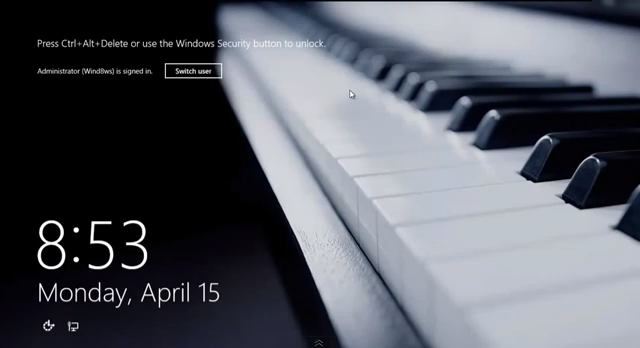
How to Secure your Logon Screen (CTRL + ALT + DEL) Windows 8

Add (CTRL + ALT + DELETE) to your logon screen for more security. Windows 8.
Adding secure logon can prevent mimic program to retrieve sensitive information.

1. Open up Charm Bar, type in netplwiz or netplwiz.exe

Sunday, March 31, 2013

Personalize the Windows 8 Start Screen (Stardock Decor8)

Personalize the Windows 8 Start screen with Stardock Decor8
Custom background change and more...

Program Name : Stardock Decor8 (Pre-Activated)
Size : 33 MB
Download Linkhttp://adf.ly/LxoKs
- Do not update the program, just install and use it. Pre-Activated (No crack needed)


Sunday, March 31, 2013

How to Format/Re-install Windows 8 Without DVD

Windows 8 new feature, format the computer to factory default without using any DVD.
Reset the windows 8.

1. Go to the Charm Bar, choose Settings.

Sunday, March 31, 2013

Disable Windows Media Player Update Permanently

Windows Media Player update really takes out your bandwidth while you not using your connection (idle) and sometime your mp3 can be broken (error) because of the update (copyright maybe) so let's turn it off forever.


1. Go to Start Menu (Win 7) or Charm Bar (Win 8), open up regedit.exe (Run as administrator)

2. Go to HKEY_LOCAL_MACHINE > Software > Policies > Microsoft. Then Add New Key and key in WindowsMediaPlayer

Friday, March 22, 2013

How To Permanently Activate Windows 8 (All Edition) with Windows Media Center (WMC)


Windows 8 Activator (All Edition) easy to use, and with Windows Media Center (Add Feature)
Download Activator + Serial WMC :-
Link 1 : [MEGA] 
Link 2 : [DRPBOX]
Link 3 : [GRIVE]
If link dead or removed please leave reply, I'll re-upload fresh new link later.

Video Easy-Guide (IF Video is dead, download the video here : http://gmv/Ypqoe.mp4/

Can Activated (So far) : Retail Windows 8, not Developer or in Development.
Windows 8
Windows 8 Pro
Windows 8 64bit
Windows 8 Pro 64bit
Update-able, just care about what you wanted to update.

Warning : If it rollback to trial, use activator again and do not run sfc /scannow or it will revert to non-genuine but still you can activate it again! :) .


Windows 8 START MENU (Start8 - Bring Back Windows 8 Old Start Menu)
Download Here : Start8 Download


WINDOWS 8.1 Activator :- Click [HERE]

Tuesday, March 19, 2013

How to Block and Unblock Website using Hosts Editor

It much easier when you don't need to edit through host file. With this easy tool, you, can block any website you wanted in just a click.


Watch the video here

(New Version - BlueLife Hosts Editor) RECOMMENDED
Download herehttp://mega.ly/BLhE

(Old Version - Hosts Mechanic)
Download here : http://mega.ly/HsMecha

For manual stephttp://goo.gl/VgkqXU

Thursday, March 07, 2013

How To Add Windows 8 Start Menu Easily (Stardock Start8)

Add old Start Menu in Windows 8 (Based on Windows 7 Start Menu)
Stardock Start8 Pre-Activated (Start Menu for Windows 8)
Download Stardock Start8 (Pre-Activated) Just install and use.
Download Link  : http://adf.ly/KPoXw
Mirror 1 Link : http://adf.ly/KPvrE
Again, preactivated, just install and use, NEVER UPDATE IT!.
Preview :

Share